
June 12, 2026 · JMP Technology · Official blog
How to Automate SEO Blogs with AI
- ai blog automation
- seo integration
- content management
- jmp-dashboard
Learn how AI-powered tools can streamline your blog content creation, from drafting to publishing, ensuring SEO optimization and consistent quality for your modern website.
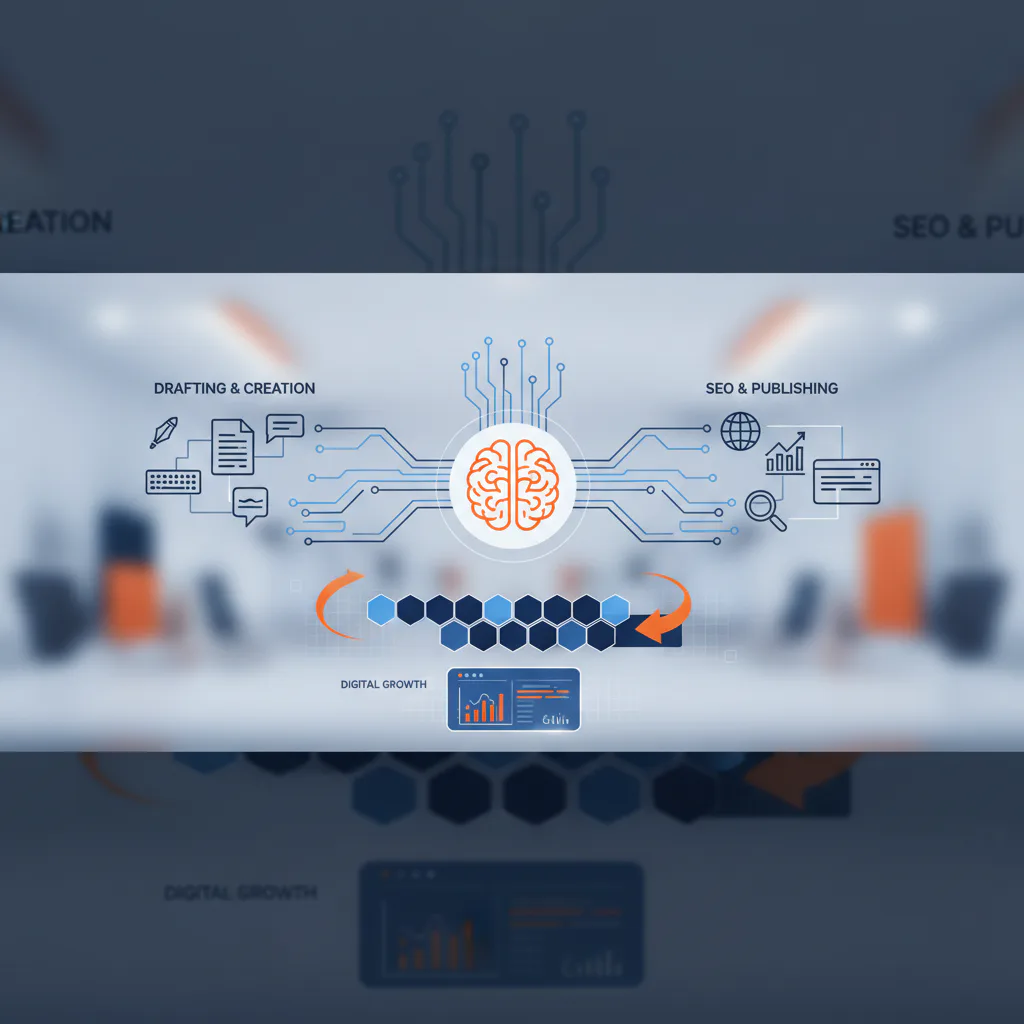
Imagine a Tuesday morning: instead of staring at a blank screen, wrestling with keyword research and drafting a new blog post from scratch, you're reviewing a polished draft. The content is already optimized for search engines, includes relevant internal links, and is ready for a quick final edit. This isn't a future dream; it's the reality of modern websites leveraging AI blog automation. By integrating artificial intelligence into your content workflow, you can significantly streamline the creation of SEO-optimized blog posts, ensuring your site consistently publishes fresh, valuable content without overwhelming your team. This approach is particularly powerful when paired with a centralized content management system, transforming what was once a time-consuming task into an efficient, scalable process that supports your digital strategy.
What You Need for AI-Powered SEO Blogs
To effectively automate your blog content with AI, you'll benefit from a few key components:
- A Clear Content Strategy: Even with AI, you need a direction. Define your target audience, core topics, and primary keywords your modern website aims to rank for.
- An AI-Enabled Content Platform: This could be a dedicated AI writing tool or, ideally, a feature integrated directly into your website's content management system, like the JMP-Dashboard's AI-assisted blog publishing.
- Robust SEO Integration: Your platform should allow for easy incorporation of SEO best practices, including meta descriptions, headings, and internal linking.
- A Content Review Process: AI is a powerful assistant, but human oversight is crucial for brand voice, factual accuracy, and final polish.
- Analytics and Tracking: Tools to monitor post-launch performance, such as traffic, engagement, and conversions, to refine your strategy.
Steps to Streamline Your Content Workflow
Integrating AI into your blog publishing doesn't mean handing over the reins entirely. It's about empowering your team to produce high-quality, SEO-ready content more efficiently.
1. Define Your Content Strategy and Keywords
Before generating any content, establish what you want to achieve. What questions do your customers ask? What problems do your services solve? Use tools to identify relevant keywords that align with your business offerings and search intent. This strategic foundation guides the AI and ensures the content is valuable. JMP Technology helps clients with technical SEO, page structure, and content planning to ensure this step is solid.
2. Leverage AI for Draft Generation
With your strategy in hand, instruct your AI tool or integrated platform (like the JMP-Dashboard) to generate a draft. Provide clear prompts including topic, target keywords, desired length, and any specific points to cover. The AI can quickly produce a structured outline and initial article draft, saving hours compared to starting from scratch. This is where AI blog automation truly shines, accelerating the initial creation phase.
3. Review, Refine, and Optimize for SEO
The AI-generated draft is your starting point. Review it for accuracy, tone, and brand consistency. Add your unique insights, examples, and calls to action. Crucially, optimize the content for SEO:
- Ensure primary and secondary keywords are naturally integrated.
- Verify headings (
H1,H2,H3) are logical and keyword-rich. - Add relevant internal links to other pages on your site, like your services or related blog posts.
- Craft compelling meta titles and descriptions.
4. Publish and Monitor with Your Dashboard
Once refined, publish your post. A modern content management system, especially one with API-based updates like the JMP-Dashboard, allows for seamless publishing and scheduling without redeploying your entire site. After publishing, use your dashboard's integrated analytics to monitor the post's performance. Track traffic, keyword rankings, and user engagement. This data provides valuable feedback to refine future AI-assisted content efforts and ensures your digital strategy consulting continues to evolve.

Tips for Effective AI Blog Automation
- Maintain Brand Voice: Always edit AI content to match your brand's unique voice and personality. AI provides the structure; you provide the soul.
- Fact-Check Thoroughly: AI can sometimes "hallucinate" or present outdated information. Always verify facts and statistics.
- Focus on Value: Ensure every piece of content, whether AI-assisted or human-written, offers genuine value to your audience.
- Integrate Analytics: Use your JMP-Dashboard's bot-filtered analytics to understand what content resonates and adjust your strategy accordingly.
- Don't Over-Automate: Use AI to assist, not replace, human creativity and strategic thinking.
Conclusion
Automating your SEO blog content with AI and a powerful, integrated content management system like the JMP-Dashboard can transform your digital presence in 2026. By streamlining your workflow, you can consistently publish high-quality, SEO-optimized content, freeing up valuable time for other business priorities. JMP Technology specializes in building modern websites, complete with the JMP-Dashboard, making these advanced content workflows a reality for businesses of all sizes.
This content was created with AI assistance to support JMP Technology's digital presence and content strategy.